
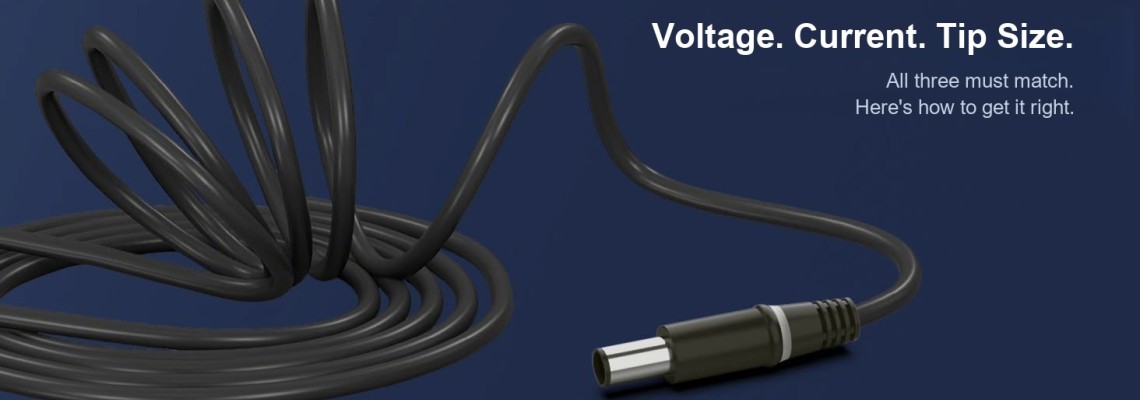
Why “It Plugs In” Isn't Enough: An Engineer's Guide to Laptop Charger Compatibility
Every laptop technician has seen the same ticket: the replacement charger fits the socket, the LED lights up, the laptop even runs — and yet the battery stays empty, or the machine reports “AC adapter type cannot be determined.” The plug was never the whole story. A laptop charger is a small power system with an electrical contract (voltage, current, wattage), a mechanical contract (connector dimensions and polarity) and, on most business laptops, an identity contract (an electronic handshake that tells the laptop what is plugged in). Miss any one of the three, and you get exactly the symptoms above.
This guide walks through all three contracts — then covers how USB-C Power Delivery replaces them with negotiation, and finishes with a checklist you can run before buying any replacement.
TL;DR — The three compatibility contracts:
1. Electrical — voltage must match exactly; amps may be equal or higher; wattage alone is meaningless.
2. Mechanical — exact tip size (OD×ID) and polarity; “nearly fits” = intermittent charging and heat.
3. Identity — Dell and HP smart-pin adapters must electronically identify themselves, or the laptop refuses to charge.
USB-C PD replaces all three with negotiation — but the cable and PD profile still matter.
Select what your laptop needs — we’ll show every charger in our store that matches both.
Not sure? Read the tip-size section below, or check the label on your current adapter — it lists both values.
Part 1 — The Electrical Contract: Voltage, Current, Wattage
Every fixed-output adapter label states three numbers, and they are linked by one equation:
Power (W) = Voltage (V) × Current (A)
19.5V × 3.34A ≈ 65W · 19.5V × 4.62A = 90W · 20V × 6.75A = 135W
The three rules that follow from it:
1. Voltage must match exactly
Traditional barrel adapters are fixed-voltage supplies. A laptop designed around 19.5V expects 19.5V — not 19V “close enough”, and certainly not 24V. Internal DC-DC converters generate every rail the machine needs (CPU, GPU, memory, battery charging), and their input tolerance is set by the laptop maker, not by whether the plug happens to fit. Over-voltage stresses input MOSFETs, charging ICs and input capacitors, and the damage can be immediate or creep in over weeks. Under-voltage is less dramatic but just as useless: many laptops simply detect an out-of-range input and refuse to charge at all.
2. Current is a ceiling, not a command
A common fear: “my laptop needs 3.34A — will a 4.62A charger push too much current into it?” No. The adapter's amp rating is the maximum it can safely supply; the laptop draws only what its load requires. On the same voltage and connector, a 90W adapter is a fully valid replacement for a 65W one — with headroom to spare.
3. Wattage alone tells you almost nothing
Two adapters can both say “120W” and be completely incompatible: 19V × 6.32A vs. 24V × 5A. The first may suit a performance laptop; the second will over-stress it. Never shop by wattage alone — voltage and connector come first, wattage third.
What happens when the wattage is too low
Using an under-rated adapter does not usually damage the laptop, but the system defends itself: slow or suspended battery charging, CPU/GPU performance throttling, a “low-power adapter” warning at boot, or the battery slowly draining while plugged in because the adapter can cover the system load or charging — but not both. The rule: match the manufacturer's rating, or go one class up if the connector and ID system allow it.
Part 2 — The Mechanical Contract: Barrel Sizes and Polarity
Barrel connectors are specified as outer diameter × inner diameter in millimetres — so “5.5 × 2.5” means a 5.5mm outer barrel with a 2.5mm hole. A 0.4mm mismatch is invisible to the eye but produces intermittent contact, connector heating and charging drop-outs.
| Tip size (OD × ID) | Commonly associated with | Notes |
|---|---|---|
| 7.4 × 5.0 mm + centre pin | Older Dell / HP families | Centre pin = identification, not power |
| 4.5 × 3.0 mm + centre pin | Dell small-tip; HP “blue tip” | Similar size, different ID schemes — not interchangeable |
| 5.5 × 2.5 mm | Asus, Acer, Toshiba, generic designs | Most common “universal” barrel |
| 5.5 × 1.7 mm | Acer and other compact designs | Not interchangeable with 5.5 × 2.5 |
| 4.8 × 1.7 mm | Older HP / Compaq | Pre-smart-pin generation |
| 7.9 × 5.5 mm (rectangular) | Lenovo Slim Tip | Square-ish tip, USB-C-style locking feel |
| USB-C | Modern laptops, all brands | Negotiated power — see Part 4 |
Polarity is the other half of the mechanical contract. Virtually all laptop barrels are centre-positive (inner contact +, outer sleeve −), but the polarity symbol on the label — a circle with a dot, connected to +/− marks — is the only authoritative source. Reversed polarity on an adapter without protection circuitry is a board-level failure, not a warning message.
Part 3 — The Identity Contract: Smart Pins Explained
This is the part most buying guides skip, and it is the number-one cause of “compatible-looking charger, unhappy laptop.”
On Dell and HP smart-pin connectors, that small pin in the middle of the barrel carries no charging power at all. It is a data/identification contact:
- Dell adapters contain a tiny identification chip that answers the laptop over a 1-Wire style bus, reporting the adapter's wattage class and type. If the reply is missing or corrupted, the laptop reports “AC adapter wattage and type cannot be determined” — and then deliberately limits system performance and disables battery charging.
- HP smart-pin adapters encode their power class with a precision resistor on the ID pin; the laptop's embedded controller measures the value to decide what is connected. Different HP product lines use different coding schemes, so even a genuine HP adapter from the wrong family can be rejected.
The design intent is safety and warranty control: the laptop refuses to pull 90W through a cable that says it is a 45W one. The side effect is that a generic adapter with correct voltage and current can still fail the handshake — the machine runs on AC but never charges. So when a customer says “it powers on but says plugged in, not charging”, the fault is frequently the identification circuit, not the main output: a broken centre pin, a damaged cable, a worn DC jack, or a no-name adapter that never had an ID chip at all.
Practical takeaway: for any Dell or HP laptop of the smart-pin generations, buy a replacement that explicitly states smart-pin / centre-pin support for your adapter family — not merely the right tip diameter.
Part 4 — USB-C Power Delivery: From Fixed Rails to Negotiation
USB-C PD replaces all three contracts with one protocol. On connection, charger and laptop exchange capability messages: the charger advertises its supported profiles (5V, 9V, 15V, 20V at various currents), the laptop requests what it needs, and only then does the charger raise the voltage. Nothing is forced — which is why a 100W USB-C charger is safe for a phone and a 20W charger is safe (if slow) for a laptop.
PD 3.1 EPR: why 28V, 36V and 48V exist
USB-C was originally capped at 100W (20V × 5A). Pushing 240W at 20V would mean 12A through the cable, and cable heating scales with the square of current (Ploss = I²R): at a representative 0.1Ω loop resistance, 12A burns 14.4W in the cable versus 2.5W at 5A. USB PD 3.1's Extended Power Range solves this by raising voltage instead:
| EPR level | Current | Power | Typical use |
|---|---|---|---|
| 28V | 5A | 140W | High-end ultrabooks / creator laptops |
| 36V | 5A | 180W | Performance laptops |
| 48V | 5A | 240W | Gaming laptops / mobile workstations |
One catch people miss: at EPR power levels the cable is part of the spec. EPR cables carry an e-marker chip and must be rated for 50V/5A; a standard 60W USB-C cable will negotiate the laptop down to a lower profile no matter how powerful the charger is. If your 140W charger only delivers 100W, suspect the cable first.
USB-C ≠ chargeable
A USB-C port can be data-only, DisplayPort-only, or full PD — the shape guarantees nothing. Check for the PD/power symbol next to the port or the manufacturer's spec sheet. And from 28 April 2026, the EU Common Charger directive requires USB-C charging on most new laptops sold in the EU, so the barrel-to-USB-C transition is now regulation-backed, not just a trend.
Part 5 — Brand Quick Reference
| Brand | Typical fixed specs | Connector | ID system | Example in our range |
|---|---|---|---|---|
| Dell | 19.5V 3.34A (65W) / 4.62A (90W) | 7.4×5.0 + centre pin | 1-Wire adapter chip | 65W 7.4×5.0 · 90W 7.4×5.0 |
| Dell (newer) | 45–90W | 4.5×3.0 + centre pin | ID contact | 100W USB-C PD |
| HP | 18.5–19.5V, 65–120W | 4.8×1.7 (older), 4.5×3.0 blue tip | Resistor-coded smart pin | 90W 4.8×1.7 |
| Lenovo | 20V 3.25A (65W) / 19V 4.74A (90W) | Slim Tip 7.9×5.5 / barrel 5.5×2.5 | Signal pin on Slim Tip | 65W 7.9×5.5 · 90W 5.5×2.5 |
| Acer / Asus | 19V, 45–90W mainstream | 5.5×2.5, 5.5×1.7, 4.0×1.35 | Mostly none (fixed output) | See brand category pages |
Part 6 — The 6-Point Replacement Checklist
Before buying any replacement for a barrel-connector laptop, verify all six. For USB-C laptops, points 1–2 apply plus PD profile matching.
- Voltage — exact match with the original label.
- Wattage / current — equal or higher at the same voltage.
- Connector — exact OD × ID, not “looks close”.
- Polarity — confirm the centre-positive symbol.
- Identification — smart-pin support where the brand requires it (Dell, HP; Lenovo Slim Tip signal pin).
- Certification — UL / CE / FCC / RoHS marks, checked on the unit, not the listing photo.
Part 7 — Symptom to Cause: A Quick Diagnostic Table
| Symptom | Most likely charger-related cause |
|---|---|
| “Plugged in, not charging” / runs but won't charge | Smart-pin identification failed — broken centre pin, wrong adapter family, or generic adapter with no ID chip |
| “Adapter wattage cannot be determined” at boot | Dell 1-Wire handshake missing or corrupted |
| Charges only when asleep / drains under load | Adapter wattage below system requirement |
| CPU/GPU noticeably slower on AC | Under-power throttling — laptop deliberately limits performance |
| Charging cuts in and out | Loose tip tolerance (wrong ID dimension) or worn DC jack |
| Connector or brick hot to the touch, smell, discolouration | Overload or failing components — stop using immediately |
| 140W USB-C charger delivers only 100W | Cable lacks EPR/e-marker rating — swap the cable before blaming the charger |
One caveat: battery, DC-jack and motherboard faults produce identical symptoms. The charger is the cheapest thing to test first, not automatically the guilty party.
FAQ
Is a higher-wattage charger safe for my laptop?
Yes, provided voltage and connector match and the ID system accepts it. The laptop draws only what it needs; extra wattage is just headroom.
My replacement charger has the right tip but the laptop won't charge. Why?
Almost certainly the identification system. On Dell and HP smart-pin connectors the centre pin is a data contact — correct voltage with a missing ID handshake results in exactly this symptom.
Can I use a 24V adapter on a 19V laptop?
No — unless the manufacturer explicitly lists that input as supported. Over-voltage stresses input and charging circuitry in ways that may take weeks to surface as failure.
Are 5.5 × 2.1mm and 5.5 × 2.5mm tips interchangeable?
No. The 0.4mm difference causes poor contact, intermittent charging and connector heating over time.
Will a 240W USB-C charger damage my phone?
No. A compliant PD charger never forces its maximum profile; the phone negotiates what it supports.
Why does my gaming laptop ship with a 230W–330W brick?
High-end CPU plus discrete GPU plus display, storage and battery charging can add up to several times an ultrabook's draw. USB-C PD can now reach 240W, but many gaming platforms still need or prefer their proprietary high-power input.
Can every USB-C laptop charge from any USB-C charger?
Only if the port supports Power Delivery and the charger offers a sufficient profile. Shape alone guarantees nothing.
How do I test an old adapter?
A multimeter verifies no-load voltage and polarity on a barrel adapter — but not behaviour under load. USB-C PD needs a PD trigger/analyzer, since output only appears after negotiation.
Leave a Comment